Generative AI design is changing how creative teams imagine, build, test, and refine ideas. From branding and visual content to product concepts, architecture, fashion, and UI/UX design, AI is helping designers move faster without losing the human creativity that makes great work stand out.
Generative AI works best as a creative partner. It can suggest layouts, create visual variations, generate images from text prompts, automate repetitive tasks, and help teams explore more possibilities in less time. For businesses, this means faster production, better personalization, and more efficient design workflows.
Let’s explore what generative AI design means, how AI in design is being used today, which tools are shaping creative work, and what designers should know before adopting generative AI automation.
What Is Generative AI Design?
Generative AI design is the use of artificial intelligence to create or support design work. It uses machine learning in design, large datasets, neural networks, and generative models to produce new creative outputs such as images, layouts, graphics, 3D models, product concepts, interface screens, and visual assets.
Generative AI tools can create fresh design options based on prompts, references, brand rules, or existing data. A designer might enter a simple instruction and the AI can produce multiple starting points.
The key value is speed and exploration. Designers can test more ideas, compare directions quickly, and refine the best concepts with human judgment.
How Generative AI Works in the Design Process
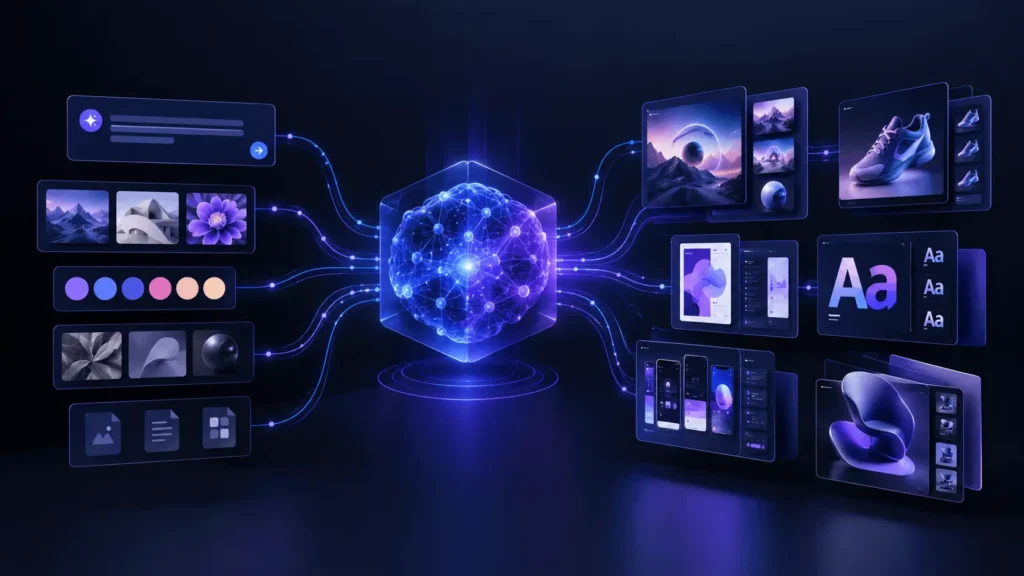
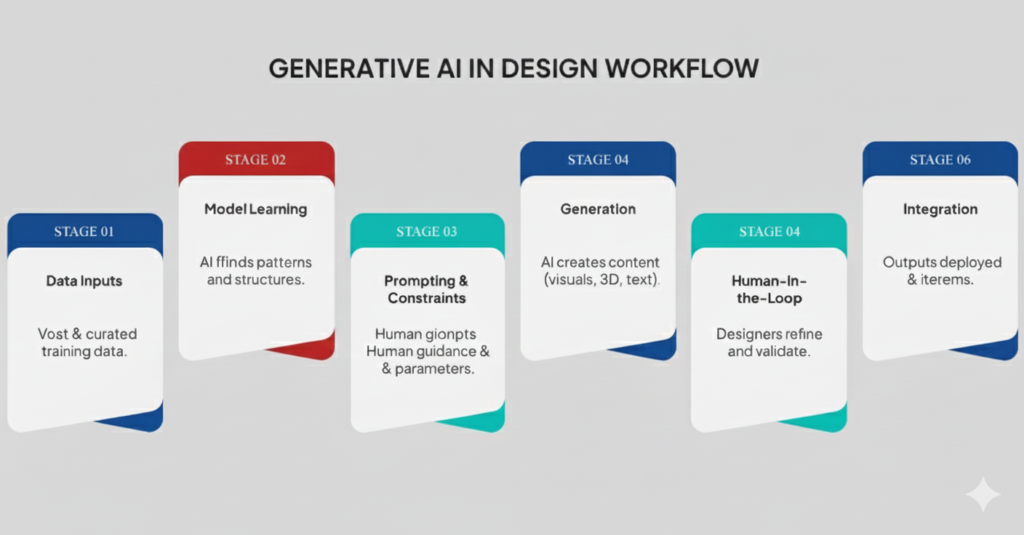
Generative AI relies on models trained to recognize patterns in existing content. These systems learn relationships between colors, shapes, composition, typography, styles, objects, and user instructions. When a designer gives a prompt or uploads a reference, the AI predicts and generates a new output based on what it has learned.
Machine Learning in Design
Machine learning in design helps AI systems understand patterns and improve creative results over time. For example, an AI design tool can analyze thousands of layouts, product photos, app screens, or brand visuals to understand what makes them visually balanced or user-friendly.
Text-to-Image AI Tools
Text-to-image AI tools allow users to create visuals from written prompts. These tools are useful for concept art, mood boards, campaign visuals, social media graphics, product mockups, and early-stage branding ideas.
Generative AI Automation
Generative AI automation helps reduce repetitive creative tasks. It can resize designs, create layout variations, remove backgrounds, generate product visuals, suggest color palettes, build first-draft copy, or prepare multiple versions of a design for different platforms.
Why Generative AI Is Important for Designers
AI in design is becoming important because creative teams are expected to produce more content across more channels than ever before. Websites, mobile apps, ads, social media, email campaigns, product pages, video content, and brand assets all need consistent design.
Generative AI gives designers more room to focus on strategy, storytelling, problem-solving, and direction for final creative. Instead of spending hours on repetitive production work, they can use AI to create first drafts, explore styles, and speed up revisions.
The best results are when AI supports human creativity rather than replacing it. A designer still needs taste, brand understanding, audience insight, and the ability to decide what actually works.
Applications of Generative AI in Design
Generative AI design is now used across many creative industries. Its flexibility makes it useful for both small businesses and large design teams.
1. Graphic and Visual Design
AI tools for graphic design can help create logos, posters, social media graphics, website banners, ad creatives, presentation visuals, and branded templates.
Designers can use AI to generate rough concepts, test different visual styles, or build inspiration boards before developing the final design manually. This speeds up brainstorming and helps teams avoid creative blocks.
Common uses include:
- Logo concept exploration
- Brand mood boards
- Poster and ad layout ideas
- Social media templates
- Background generation
- Illustration and concept art
2. UI/UX Design
AI tools for UI UX design are helping designers create wireframes, app screens, user flows, and interface variations faster. Instead of starting from a blank canvas, designers can use AI to generate early layouts and then refine them based on usability, accessibility, and brand requirements.
AI can also support UX research by summarizing user feedback, identifying patterns, suggesting content hierarchy, or creating quick prototypes for testing.
3. Product and Industrial Design
Generative AI is valuable in product design because it can explore many forms, materials, shapes, and structural options quickly. Designers and engineers can use AI to create prototypes, test different configurations, and optimize products for weight, strength, cost, and usability.
This is especially helpful for industries such as furniture, automotive, consumer electronics, packaging, and manufacturing.
4. Fashion Design
In fashion, generative AI can help designers experiment with colors, patterns, fabrics, textures, and silhouettes. It can generate new collection ideas, visualize garments on different body types, and create unique patterns that inspire final designs.
AI content generation tools can also support fashion marketing by creating campaign visuals, lookbook concepts, and product descriptions.
5. Architectural Design
Generative AI in architecture can help create floor plan concepts, building layouts, interior ideas, and environmental design options. It can support early visualization and allow architects to explore different structures before committing to detailed technical plans.
AI can also help with space planning, lighting ideas, material exploration, and sustainability-focused design concepts.
Best Types of AI Tools for Design Work
There are many AI tools for graphic design, UI/UX, image generation, video editing, and 3D modeling. The best tool depends on the type of work you do.
AI Image Generation Tools
These tools create visuals from text prompts or reference images. They are useful for concept art, campaign visuals, product mockups, and creative exploration.
AI Tools for Graphic Design
Graphic design tools with AI features can help generate layouts, remove backgrounds, create brand assets, resize designs, and produce visual templates for different platforms.
AI Tools for UI/UX Design
UI/UX-focused AI tools help create wireframes, prototypes, app screens, design systems, and user journey ideas. They are especially useful for product teams that need to move from idea to prototype quickly.
AI Content Generation Tools
AI content generation tools help create supporting text for design projects, including headlines, product descriptions, ad copy, social captions, website sections, and UX microcopy.
3D and Product Design Tools
For product designers, architects, and 3D artists, AI-assisted modeling tools can generate forms, characters, environments, and product prototypes.
Benefits of Generative AI Design
Generative AI design offers several benefits for designers, agencies, startups, and enterprise teams.
Faster Creative Workflows
AI can turn early ideas into visual drafts within minutes. This helps designers test more concepts, present options faster, and reduce the time spent on repetitive tasks.
More Creative Exploration
Generative AI can produce unexpected variations that help designers think differently. Even when the first output is not perfect, it can spark new ideas and directions.
Better Personalization
Generative AI automation makes it easier to create personalized visuals, product recommendations, marketing assets, and user experiences at scale.
Lower Production Costs
By reducing manual production time, AI can help businesses save money on early-stage concepts, drafts, revisions, and content variations.
Stronger Collaboration
AI-generated drafts can help designers, marketers, developers, and clients discuss ideas more clearly. Visual options make feedback easier and help teams align faster.
Challenges of Using AI in Design
Generative AI is powerful, but it also comes with challenges. Designers should use it carefully and responsibly.
Quality Control
AI-generated designs are not always accurate, polished, or brand-ready. Human review is still necessary to check details, usability, composition, and consistency.
Brand Consistency
AI may create visuals that look impressive but do not match the brand’s tone, colors, audience, or message. Designers need clear brand guidelines to keep results consistent.
Bias in AI Models
AI tools learn from existing data. If the training data contains bias, the results may reflect it. Designers should review outputs for fairness, inclusivity, and cultural sensitivity.
Intellectual Property Concerns
The creation of AI raises important questions about ownership, originality, and copyright. Businesses should understand the terms of each AI tool before using generated assets commercially.
Over-Reliance on Automation
AI can speed up design, but it should not replace creative thinking. Strong design still depends on human judgment, emotion, strategy, and storytelling.
How Designers Can Use Generative AI Effectively
To get the best results from generative AI design, designers need a clear process.
- Start With a Strong Creative Brief. AI performs better when it receives clear instructions.
- AI can generate ideas, but use human expertise to choose, edit, and refine the final design.
- Keep Brand Guidelines Ready. Upload or reference brand colors, typography, tone, and visual direction whenever the tool allows it. This helps keep AI outputs consistent.
- Check accuracy, visual quality, accessibility, originality, and message alignment before publishing anything.
- The strongest results come from collaboration. AI can generate options, but designers bring emotion, purpose, and context.

Future of Generative AI in Design
The future of generative AI in design will likely focus on better control, stronger brand consistency, real-time collaboration, and more advanced automation. Designers will use AI not only to create images but also to build complete creative systems.
We can expect more tools that connect design, copywriting, prototyping, video, 3D modeling, and development in one workflow. AI will also become more useful for voice-based design commands, personalized user experiences, and rapid design testing.
However, human creativity will remain an important aspect. AI can generate, but people give design meaning. The designers who succeed will be the ones who learn how to guide AI, question its results, and turn machine-generated ideas into thoughtful human experiences.
Bottom Line
Generative AI design is reshaping the creative industry by making design faster, smarter, and more flexible. It helps designers explore ideas, automate repetitive tasks, personalize creative work, and produce visual concepts at scale.
From AI tools for graphic design to AI tools for UI UX design, the technology is opening new possibilities for brands, agencies, product teams, and independent creators. Still, the best design will always require human direction, taste, and strategy.
Generative AI is not the end of creativity. It is a new creative partner. When used responsibly, it helps designers move beyond routine tasks and focus on what matters most: solving problems, telling stories, and creating work that connects with people.
FAQs
What is generative AI design?
Generative AI design is the use of artificial intelligence to create design work, including images, layouts, UI screens, product concepts, graphics, and 3D models.
How is AI used in design?
AI in design is used to generate ideas, automate repetitive tasks, create visual assets, build prototypes, suggest layouts, edit images, and personalize creative content.
Can generative AI replace designers?
Generative AI can support designers, but it does not replace human creativity, strategy, taste, or decision-making. Designers are still needed to guide, refine, and approve final work.
What are the best uses of AI tools for graphic design?
AI tools for graphic design are useful for creating logos, social media visuals, posters, ads, brand concepts, background images, and layout variations.
Are text-to-image AI tools useful for businesses?
Yes. Text-to-image AI tools can help businesses create campaign visuals, product concepts, social media content, mockups, and creative ideas faster.