AI is no longer sitting on the sidelines of the design process. It is becoming part of the everyday essential used by UX designers, product design teams, developers, and businesses that want to move from an idea to a working digital experience faster.
Modern AI UX design tools can help teams analyze research, explore more interface concepts, generate early layouts, create prototypes, improve content, and automate repetitive production work. What once required several rounds of manual iteration can often be explored in a fraction of the time.
The real value of AI UI UX design comes from using automation without losing the human judgment that makes an experience useful. AI can generate options. It can organize information. It can even produce functional starting points. It still takes a designer to understand the user, challenge assumptions, make trade-offs, and decide whether a solution actually solves the right problem.
Explore how AI is changing UI/UX, where it fits into the design process, the best ways to use it, and why the future of digital product design is likely to be a partnership between human creativity and intelligent tools.
What Are AI UX Design Tools?
AI UX design tools are software platforms or features that use artificial intelligence to support different parts of the user experience design process.
Depending on the tool, AI can assist with tasks such as:
- Summarizing user research
- Organizing customer feedback
- Generating user flows
- Creating wireframes
- Producing interface concepts
- Writing UX copy
- Building interactive prototypes
- Generating design variations
- Identifying accessibility concerns
- Creating or editing images
- Automating repetitive design tasks
Traditional user experience design tools rely heavily on manual input. Designers create layouts, review research, organize notes, test concepts, and make revisions one step at a time.
AI changes that workflow by helping designers get to a useful starting point more quickly. That distinction matters.
AI is most valuable when it reduces the effort required to explore an idea, not when it makes the final design decision for you.
How AI Is Changing the UI UX Design Process
The traditional UI UX design process usually moves through several stages: research, problem definition, ideation, wireframing, prototyping, testing, visual design, and iteration.
AI can now support almost every one of those stages.
It does not mean every stage should be automated. Instead, designers can decide where AI saves time and where human involvement matters most.
UX Research and Insight Generation
Research is one of the most important parts of UX design, but it can also be time-consuming.
Interview transcripts, survey responses, usability notes, support tickets, reviews, and behavioral data can quickly become difficult to organize.
AI can help teams group recurring themes, summarize large amounts of qualitative feedback, organize notes, and highlight patterns worth investigating.
For example, imagine a product team has interviewed 25 customers about a new checkout experience. Instead of manually reading every transcript several times, an AI-assisted workflow could help identify repeated frustrations such as confusing shipping options, unclear pricing, or difficulty editing an order.
The designer can then investigate those themes more deeply.
The important point is that AI-generated summaries should not automatically be treated as research conclusions. Context can easily be lost when human conversations are reduced to themes or summaries.
Experienced UX teams use AI to speed up synthesis while still returning to the original research when making important product decisions.
Ideation and Early Concept Development
A designer can describe a product, target audience, screen, feature, or user journey and generate several early directions. These outputs may include rough layouts, content structures, user flows, dashboards, landing pages, or mobile screens.
Not every idea will be good. That is not necessarily a problem.
Early-stage design is about exploring possibilities. If AI helps a designer examine five directions instead of one, it can create more opportunities to question assumptions and compare alternatives.
The designer still decides what deserves to move forward.
Wireframing and Prototyping
Wireframes help teams understand how information and interactions should be structured before visual polish becomes a distraction. AI is making this stage much faster.
Some modern design platforms can turn natural-language instructions into editable interfaces or prototypes. A designer might describe a SaaS dashboard, ecommerce checkout, onboarding flow, or booking experience and receive an initial structure that can be refined.
This makes AI particularly useful for rapid experimentation.
Instead of spending the first hour placing basic interface elements, designers can spend more time asking better questions:
- Does this screen contain the right information?
- Is the hierarchy clear?
- Can users complete the task easily?
- Is an important step missing?
- Would another flow reduce friction?
This is where design automation tools can save time without removing the designer from the process.
UI Design and Design Systems
Modern design workflows often rely on established design systems containing approved components, typography, colors, spacing rules, and interaction patterns. AI-supported design can help teams reuse these systems more efficiently.
Designers may use AI to:
- Generate interface variations
- Replace placeholder content
- Rename layers
- Find existing components
- Generate visual assets
- Explore alternative layouts
- Create interaction states
- Adjust existing screens
The biggest benefit is consistency.
Instead of generating random interfaces from scratch, AI can increasingly work within the patterns and components a product team already uses.
That makes the output more useful in real production environments.
Testing and Iteration
AI can also support the iterative side of UX. Design teams constantly review feedback, analytics, support issues, usability findings, and experiments.
AI can help organize that information and make it easier to spot patterns. However, it should not become a substitute for usability testing.
AI-generated interfaces may look polished and still confuse real users. AI cannot fully reproduce the expectations, frustrations, limitations, and context of the people who will actually use a product.
The strongest workflow is:
AI-assisted exploration → human review → real user testing → informed iteration.
How AI Can Improve User Experience Design
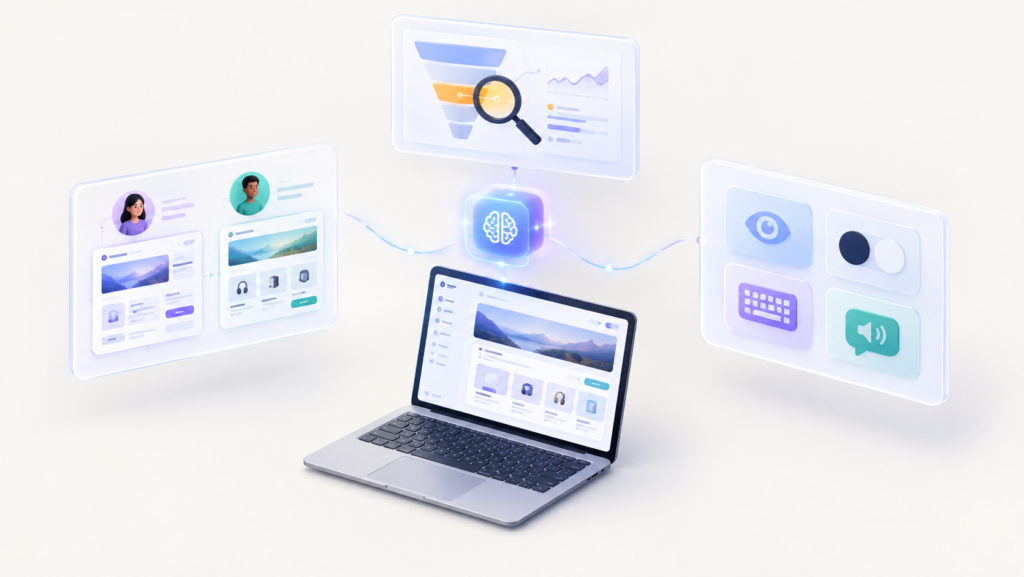
AI is useful when it helps teams make experiences clearer, faster, and more relevant. That can happen in several ways.
1- More Relevant Personalization
Digital products often serve users with different goals.
An ecommerce shopper returning to buy a familiar product has different needs from someone visiting the store for the first time. A project manager may need different dashboard information from a junior team member.
AI can help products respond to these differences by analyzing meaningful behavioral patterns and presenting more relevant information, recommendations, or workflows.
The challenge is restraint. Personalization should make an experience easier to use, not unpredictable.
Constantly changing navigation, layouts, or controls simply because AI can do so may create more confusion than value.
Good personalization supports the user’s goal without making the interface feel unstable.
2- Faster Identification of UX Problems
Analytics can reveal where users struggle.
AI-assisted analysis can make large datasets easier to interpret by identifying patterns such as:
- Repeated drop-off points
- Abandoned forms
- Navigation bottlenecks
- Search failures
- Recurring support questions
- Unexpected user paths
These signals help teams decide where deeper research is required. The result is not automatic UX optimization. It is faster problem identification.
3- Improved Accessibility Workflows
AI can support designers working to make digital experiences more accessible.
It may help with tasks such as:
- Drafting image alt text
- Checking contrast
- Creating transcripts
- Translating content
- Identifying missing labels
- Simplifying complicated language
- Reviewing common accessibility patterns
These capabilities can be helpful, particularly during early reviews. But accessibility cannot simply be delegated to software.
Automated tools may detect technical issues while missing real usability problems experienced by people using screen readers, keyboard navigation, voice controls, magnification, or other assistive technologies.
AI-assisted accessibility works best as one layer of a broader process that includes established accessibility standards, manual review, and testing where appropriate.
AI in Product Design: From Idea to Experience
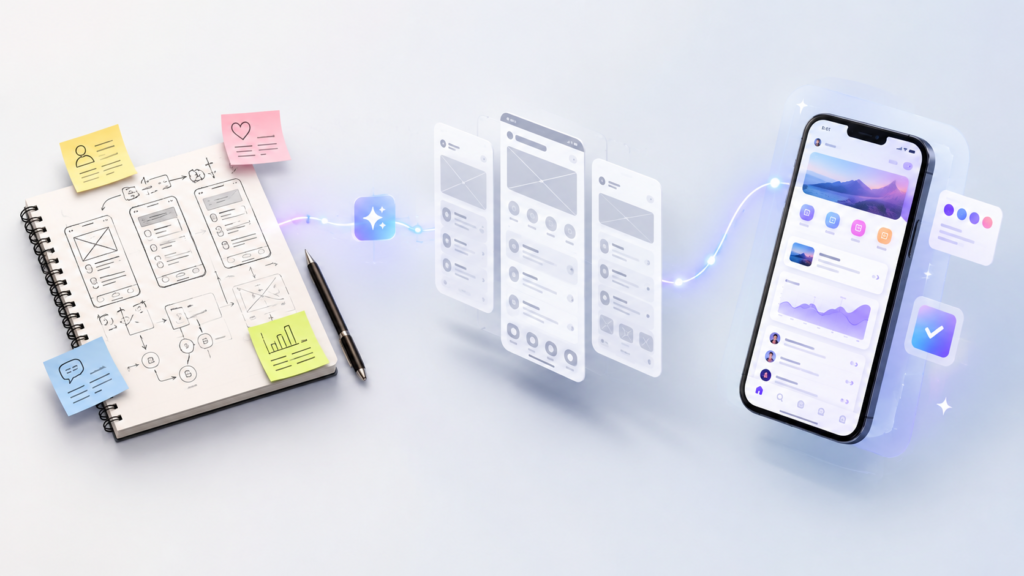
The influence of AI extends beyond individual screens. AI in product design is changing how teams move from a business idea to a usable product.
- Product Discovery
Before designing an interface, teams need to understand what should be built.
AI can help organize:
- Customer feedback
- Feature requests
- Reviews
- Competitor observations
- Support conversations
- Research notes
- Product requirements
This helps teams see recurring problems faster.
It does not decide which problem is strategically important, but it can reduce the time required to make sense of large amounts of information.
- Concept Exploration
Once the problem is understood, AI can help teams explore possible solutions.
Product designers might generate alternative flows, navigation structures, layouts, or interface concepts before selecting an approach.
This can make design reviews more productive because teams have several concrete options to discuss rather than one polished concept that everyone becomes reluctant to challenge.
- Rapid Prototyping
One of the biggest developments in AI in product design is the growing ability to move directly from a written idea to an interactive prototype.
A product team can describe an experience, generate an initial version, and begin testing the idea before committing significant engineering resources. This changes the economics of experimentation.
Weak ideas can be identified earlier. Promising concepts can be improved before development begins.
- Better Collaboration Between Design and Development
Product work often slows down during the transition from design to development. Designers explain interactions. Developers interpret specifications. Product managers clarify requirements. Small misunderstandings turn into additional revisions.
AI-assisted workflows are beginning to narrow this gap by connecting design context, components, prototypes, documentation, and code more closely.
The result can be faster communication and fewer avoidable handoff problems.
Best AI Tools for UX Design and What They Help With
There is no single answer to the question, “What are the best AI tools for UX design?”
The right tool depends on the task. A UX researcher needs something different from a product designer building a prototype. A visual designer has different priorities from a UX writer.
Instead of looking for one tool to do everything, choose tools based on the problem you need to solve.
AI Tools for Wireframing and Prototyping
Tools such as Figma’s AI capabilities and Figma Make can help designers generate interface concepts, build interactions, explore layouts, and turn ideas into prototypes more quickly.
They are especially useful when teams need to communicate an idea before investing heavily in production.
AI Tools for UX Research
AI-assisted research tools can help teams organize interview notes, summarize transcripts, group feedback, and find recurring themes.
These are valuable when the volume of qualitative information becomes difficult to manage manually.
The designer or researcher should still validate important findings against the source material.
AI Tools for UX Writing
Interface content may include:
- Button labels
- Instructions
- Error messages
- Empty states
- Tooltips
- Form explanations
- Onboarding messages
- Confirmation screens
AI can generate alternative versions quickly.
That is useful for brainstorming, but context matters enormously in UX writing. The final language should match the product’s tone, user expectations, and accessibility requirements.
AI Tools for Visual Exploration
Generative image tools can support mood boards, illustrations, background assets, concept visualization, and early creative direction.
They can be especially helpful before a final visual language has been established.
Teams using generated images commercially should also understand the terms, licensing rules, privacy requirements, and brand implications associated with the tools they choose.
How Design Automation Tools Save Time Without Sacrificing Quality
Good designers spend a surprising amount of time on work that is necessary but not particularly creative.
Layers need to be named. Assets need to be resized. Placeholder text needs replacing. Screens need variations. Components need organizing.
These are strong candidates for design automation tools. AI can assist with repetitive tasks such as:
- Generating multiple layout variations
- Renaming layers
- Producing placeholder content
- Formatting repeated elements
- Creating first-draft screens
- Resizing creative assets
- Generating image variations
- Building basic interactions
- Organizing design files
Automating these tasks gives designers more time for work that requires judgment.
That includes understanding user behavior, defining the right problem, evaluating trade-offs, building trust, improving accessibility, and deciding whether an experience feels coherent.
The goal of automation should not be to remove design thinking. It should create more time for it.
How AI Website Design Is Changing Web Experiences
AI website design has progressed well beyond simple template selection.
Modern tools can generate page structures, interface concepts, copy, visual assets, and even functional prototypes from relatively simple instructions.
For businesses, this can shorten the distance between an idea and something tangible.
Prompt-Assisted Website Concepts
A team can describe the business, audience, goals, and desired page structure and generate an early website concept.
This is useful for exploration, particularly during discovery.
However, a generated landing page is not automatically a finished website.
It still needs to be evaluated for content hierarchy, brand consistency, conversion strategy, accessibility, responsive behavior, performance, and usability.
Responsive Design Support
AI can help designers explore how interfaces should behave across different screen sizes.
This can reduce repetitive production work when adapting desktop designs to tablets and mobile devices.
Human review remains important because responsive design is not simply a matter of shrinking elements. Priorities often need to change when screen space becomes limited.
Landing Page Experimentation
AI also makes it easier to test alternative page structures, headlines, calls to action, and visual directions.
A business can explore multiple concepts before selecting versions for actual testing.
This is a better use of AI than assuming one generated design is automatically optimized for conversions.
Business Benefits of AI UI UX Design
When implemented thoughtfully, AI UI UX design can create several practical benefits.
- Faster Product Development
- More Design Exploration
- Better Use of Designer Time
- More Consistent Experiences
- Faster Iteration
- Potential Conversion Improvements
Best Practices for Using AI in the UI UX Design Process
The effectiveness of AI depends heavily on how it is used.
- Start with the user problem
- Give the tool context. The more relevant context the tool has, the more useful the starting point tends to be.
- Use existing design systems
- Treat the first output as a draft
- Test with real users
- Protect sensitive information

Will AI Replace UI/UX Designers?
AI is more likely to change how UI/UX designers work than eliminate the need for designers.
Some tasks will become increasingly automated. Creating basic layouts, generating variants, organizing files, writing placeholder copy, and producing first drafts may require less manual effort.
Designers still need to understand people, define problems, conduct research, prioritize competing needs, build accessible experiences, interpret brands, collaborate with stakeholders, and make difficult product decisions.
As routine execution becomes easier, those strategic skills may become even more important.
The role of a designer is likely to shift from manually creating every element toward directing, evaluating, refining, and validating increasingly automated work.
The Future of AI in UI/UX and Product Design
The next phase of AI design is likely to feel less like using a separate tool and more like working with an intelligent layer inside the existing design workflow.
AI can increasingly understand design context, generate interactive experiences, work with established components, assist with visual edits, support prototyping, and help teams move between design and development.
Over time, designers may spend less time executing routine instructions and more time defining intent.
The most valuable designers will not necessarily be the people who can generate the most screens. They will be the ones who know what should be designed, why it matters, how it should behave, and whether the final experience genuinely helps the user.
Conclusion
AI UX design tools are changing the speed and scope of modern digital design. They can help teams move through research faster, explore more ideas, create prototypes sooner, automate repetitive work, and experiment with different approaches without investing the same amount of time in every direction.
But better tools do not automatically create better experiences. Successful AI UI UX design still depends on understanding the people using the product. It requires research, empathy, accessibility, strategy, testing, and thoughtful decision-making.
The same is true for AI in product design. AI can shorten the path between an idea and an experiment, but humans still decide which ideas deserve to become products.
The best approach is using AI to handle the work machines do well while giving designers more time to do the work that requires context, judgment, curiosity, and an understanding of people.
FAQS
What are AI UX design tools?
AI UX design tools are platforms or features that use artificial intelligence to assist with UX tasks such as research synthesis, wireframing, interface generation, prototyping, UX writing, testing, visual design, and repetitive workflow automation.
What are the best AI tools for UX design?
The best AI tools for UX design depend on the task. Some tools are better for research, while others specialize in wireframing, prototyping, visual design, UX writing, or automation. Designers should choose tools based on where they need support in their existing workflow.
Can AI improve the UI UX design process?
Yes. AI can make parts of the UI UX design process faster by reducing repetitive work and helping designers explore more options.
Can AI create an entire website design?
AI website design tools can generate layouts, visual concepts, content, components, and prototypes. A professional website still requires human review for usability, accessibility, branding, performance, responsive behavior, technical quality, and conversion strategy.
How is AI used in product design?
AI in product design can support customer research, idea generation, concept exploration, prototyping, design iteration, content creation, and collaboration between design and development teams.
Will AI replace UI/UX designers?
AI is more likely to transform the role of UI/UX designers than replace it. Automation can handle more routine tasks, while designers continue to provide user understanding, strategic thinking, creative judgment, accessibility expertise, and product decision-making.